MN DNR Licensing
- 3.7
- Rating
- 10.00K
- Installs
- Free
- Price
 Analysis by App-foxy
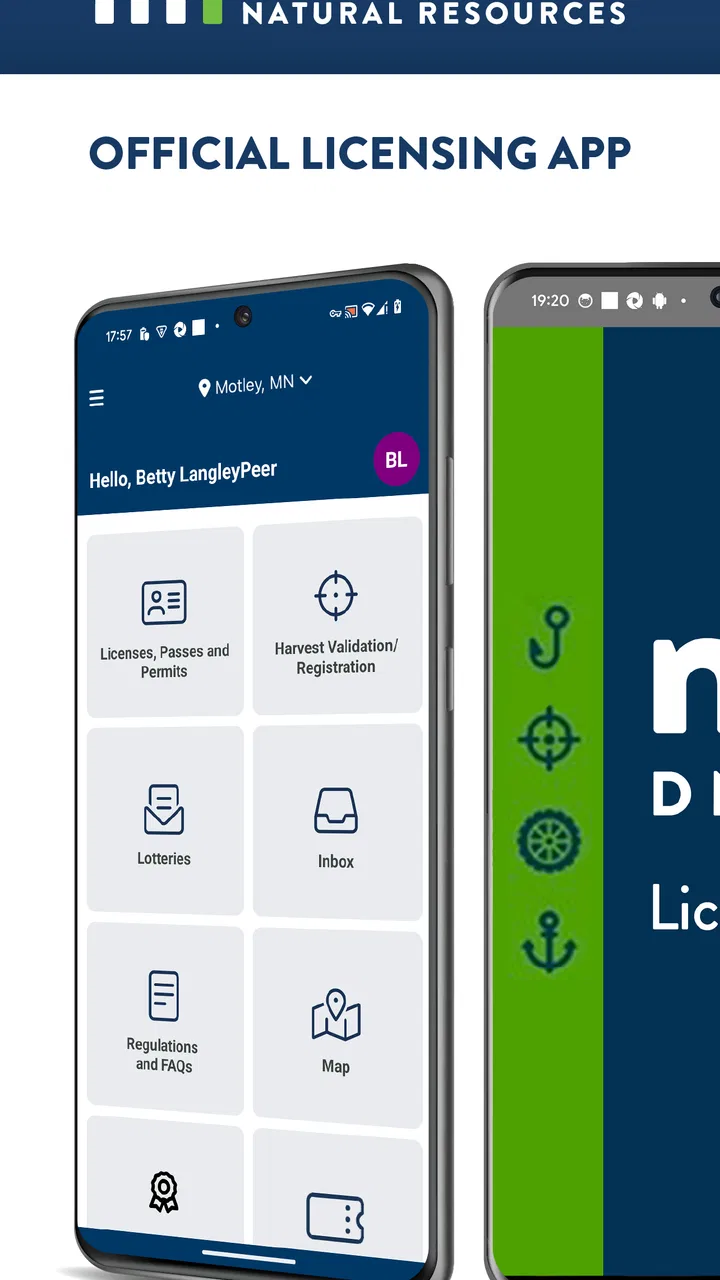
When I need to handle Minnesota outdoor licensing, I want the process to feel less like a paperwork task and more like a quick check before I leave home. MN DNR Licensing is built for that specific moment: it is the official licensing app of the Minnesota DNR, developed by Sovereign Sportsman is now PayIt LLC. It is free, aimed at everyone, and belongs in the sports category rather than the broader world of general government services.
My first impression is that this is a focused tool, not an all-purpose outdoor companion. It does not try to become a fishing journal, navigation app, weather service, or social network. That narrow purpose is useful because a licensing app should reduce uncertainty around the administrative part of a trip. At the same time, the narrow scope means I would not install it expecting maps, trip planning, or detailed recreation guidance.
The app has a 3.7 average from around thirty ratings and has passed ten thousand installs. Those figures suggest a modest but real user base, rather than a heavily established platform with years of broad public feedback. I would treat it as a practical official channel worth trying, while still keeping a backup plan for an important outing.
You May Also Like

 AccuWeather: Weather Radar
AccuWeather Review: A Quick, Clear Forecast for Everyday Decisions
For everyday plans, the best forecast is the one you can understand quickly. AccuWeather makes rain timing, radar, and local conditions easy to act on, with a few trade-offs.

 Hill Climb Racing
Why Hill Climb Racing Still Turns Crashes Into One More Run
A tiny car, a bumpy hill and one more upgrade: Hill Climb Racing keeps resurfacing because its simple chaos makes every near-miss feel personal.

 AliExpress - Shopping App
AliExpress Makes Global Shopping Feel Personal, but Shoppers Bear the Risk
AliExpress turns a global marketplace into a pocket-sized discovery engine. Its reach is useful, its shopping loop compelling, and its trade-offs easy to miss.

 Lords Mobile: Kingdom Wars
Lords Mobile Is a Kingdom-Building Routine, Not a Quick Match
A case-by-case verdict on the building, battles, device demands, and social commitments that make Lords Mobile rewarding for some players and exhausting for others.

 PDF Scanner app - TapScanner
TapScanner Makes Paperwork Easier to Capture, Check, and Share
TapScanner makes scanning with a phone feel less like a rescue operation and more like a dependable step in getting work done. Its capture tools are useful, though not flawless.

 Block Blast!
 Shows How Much a Puzzle Game Can Leave Out
A quiet grid game shows why puzzle players increasingly value instant clarity, repeatable skill and low-pressure play—and where the genre still needs to catch up.
More From Our News Desk
View All News


From an upcoming trip to a usable license
I’d use this section to connect the moment a Minnesota trip becomes a real plan with the practical task of getting the right licensing information ready. My main takeaway is to treat the app as part of preparation, not something to figure out at the launch or trailhead; next, I’ll look at how that intention translates into a usable result.
Starting with the real need
The most sensible time to open MN DNR Licensing is before the trip, not while standing at a boat launch or preparing equipment in poor reception. My starting condition would be simple: I know I need a Minnesota DNR license, I want to use a phone instead of making a separate stop, and I need the result available when the activity begins.
That distinction matters. The app is not valuable merely because it is on a phone; it is valuable when it turns a license task into something I can complete as part of trip preparation. I would first make sure my personal details are ready and that I have enough time to read each screen carefully. Rushing through an official transaction is exactly how small mistakes become inconvenient later.
Because the app is free, the decision to try it carries little financial risk. The cost question is therefore less about downloading it and more about whether the convenience fits my routine. Someone who regularly buys Minnesota licenses may appreciate having a dedicated official route. Someone who rarely participates in a licensed activity may find a conventional purchase channel just as straightforward.
Moving through the licensing workflow
I would approach the process in stages: open the app, identify the licensing task, enter the requested information, review the selection, and finish by checking that the completed result is accessible. That last check is important. A transaction is not truly finished from my perspective until I can locate the license or confirmation I expect to use.
The best habit here is to slow down at the selection stage. Outdoor licensing can involve choices that sound similar to someone who is buying in a hurry. I would read the wording rather than choosing the first familiar option, especially when preparing for a trip shared with another person. The app can present the official path, but it cannot replace the user’s responsibility to select the correct license.
I would also avoid treating the home screen as proof that everything is complete. After submitting information, I would look for a clear indication that the purchase or licensing action has finished, then return to the relevant area to confirm that the information is actually available. This is one of the more useful workflow habits for any official mobile transaction: verify the outcome before closing the app.
Another practical tip is to prepare while connected to a reliable network. I would not wait until the final minutes before leaving, particularly if the trip involves a remote area. Completing the administrative work at home gives me time to correct an entry, repeat a failed step, or use another official route if the app becomes uncooperative.
Passing information between people
Licensing often involves more than one person, even when only one person operates the phone. A friend may ask me to help with the purchase, a parent may be assisting a younger family member, or a group may be organizing several individual needs before traveling. In those situations, the handoff is where confusion can begin.
I would keep each person’s information and intended license choice separate rather than entering everything from memory. Before submitting anything, I would read the details back to the person involved. That small pause is especially worthwhile when several people are preparing for the same outing and the phone is being passed around.
I would also make sure the person who needs the license knows where the final information is stored and what they should be able to show or retrieve. A successful purchase on my phone is not automatically a smooth handoff to someone else. The group should agree in advance who is responsible for keeping the phone charged, locating the confirmation, and answering questions if the app is unavailable later.
This is where a dedicated licensing app can be more convenient than a paper-based process, but it also creates a different dependency. With paper, the document itself is the handoff. With a phone, the handoff may involve the device, an account or session, a confirmation screen, and the person who completed the transaction. I would plan around that difference instead of assuming digital automatically means simpler.
Reaching the result before leaving
The result I want is not merely an installed app or a submitted form. I want confidence that the licensing task is complete and that the relevant information can be reached when needed. I would take a moment to review the final screen and, where the app makes that possible, keep the information easy to find rather than burying it under unrelated phone notifications.
That preparation also helps when the outing starts early. I would open the app before leaving home, check that I can reach the completed licensing information, and make sure the phone has enough battery for the day. This is a mundane step, but it prevents a common digital problem: discovering at the destination that the device is low on power or that the user no longer remembers how to reach the record.
For a family or small group, I would complete the work one person at a time and confirm each result before moving to the next. That may feel slower than entering everything quickly, but it creates a clearer audit trail in my own mind. If something looks wrong later, I can identify which step needs attention instead of trying to reconstruct an entire group transaction.
The strongest part of the app is the direct connection between a Minnesota licensing need and a mobile workflow. It does not ask me to combine several unrelated tools just to handle the official licensing step. For a user who already knows what is needed, that focus can make preparation feel more manageable.
Where the flow breaks down
The same narrow focus that makes the app useful also limits it. If I am still deciding where to go, checking conditions, planning a route, or learning the rules for an activity, I would need other resources. MN DNR Licensing should not be mistaken for a complete outdoor planning kit. Someone looking for a single app covering maps, weather, regulations, and licensing would probably be better served by combining specialized tools.
There is also a risk in relying on a phone as the only place where the outcome exists. Connectivity, battery life, device access, and login friction can all become relevant at the worst possible time. I would complete the process early and keep any available confirmation easy to retrieve. For a high-stakes or time-sensitive trip, I would also learn the alternative official purchasing method in advance, not after arriving at the destination.
The app’s public reception is another reason I would remain practical rather than overconfident. A 3.7 average from a relatively small number of ratings does not tell me that every user will have the same experience. It suggests that the app is useful for some people but may still involve rough edges. I would update it before a planned trip and test the basic flow beforehand instead of assuming that an app installed months ago will behave perfectly.
Its release date is Jun 2, 2026, and the current version is 1.2026.0729.1. The minimum operating system is Android 7.0, which makes the compatibility range approachable for many older Android phones. Even so, compatibility is not the same as a guaranteed smooth experience. I would still check that my device can open the current version and that the operating system is functioning reliably before depending on it outdoors.
How it compares with the usual alternatives
The main alternative is handling the license through another official channel, such as a web-based process or an in-person purchase. A browser can be preferable when I am working on a larger screen, comparing information carefully, or helping several people at once. A physical location can be better when I need human assistance or when I do not want the transaction tied to my phone.
MN DNR Licensing makes more sense when I already have my phone in hand and want a focused route without adding a separate stop. It is particularly convenient for last-minute preparation at home, provided “last minute” still leaves enough time to confirm the result. I would choose the web or in-person option when the transaction is complicated, when another person needs to guide me, or when my phone connection is unreliable.
The app also differs from general outdoor apps because it is administrative rather than recreational. A fishing forecast may help me choose a morning, and a navigation app may help me reach the water, but neither replaces the licensing step. Conversely, this app should not be judged as though it were supposed to provide those planning functions. Its success depends on how well it handles the specific task it is meant to handle.
Who will benefit most from it
I think MN DNR Licensing is best for Minnesota residents and visitors who already understand the license they need and prefer completing the official task on a phone. It can be especially handy for people who organize outdoor trips from home, keep their phones with their equipment, or need a repeatable way to prepare before heading out.
It may also suit a helpful family member who manages administrative details for a group, as long as the final information is handed to the correct person and everyone knows how it will be accessed. The app’s free price makes it easy to keep available even if I use it only occasionally.
I would skip it as my primary choice if I want broad outdoor guidance in the same application, dislike phone-based transactions, or know that I will be in an area where connectivity and battery access are serious concerns. I would also prefer another route if I need a larger screen or direct assistance while making the purchase.
My practical verdict after following the full process
After looking at the complete journey—from realizing a license is needed, through entering information and passing the result to the person who will use it—I see MN DNR Licensing as a specialized convenience rather than an essential all-purpose sports app. Its value comes from reducing the distance between preparation and official licensing, not from adding recreational features around that task.
I would recommend installing it before a Minnesota outdoor trip if the licensing workflow matches what I need. I would open it at home, make the selection carefully, confirm the completed result, and avoid depending on it for navigation or rule research. That approach gives the app a fair test while protecting me from the most predictable points of failure.
Overall, the app earns its place for users who want a direct mobile licensing option and are comfortable taking responsibility for the final check. The free access, Everyone content rating, official DNR purpose, and support for Android devices running version 7.0 or later make it approachable. My reservation is not about its basic idea; it is about treating any phone-based official record as the only part of a trip plan.
My recommendation is simple: use it as the licensing step in a larger preparation routine, not as a replacement for the rest of your outdoor planning. If that is exactly what you need, MN DNR Licensing is focused and convenient enough to try. If you need personal help, extensive trip information, or a guaranteed offline fallback, the usual web or in-person alternative may be the better choice.
FAQs for MN DNR Licensing
01What is MN DNR Licensing used for?
MN DNR Licensing is the official Minnesota Department of Natural Resources service for purchasing and managing licenses, permits, and related outdoor recreation documents. Depending on the current services supported, users may be able to obtain fishing, hunting, trapping, and other activity licenses, review license details, and keep important information available on a mobile device instead of relying only on a printed copy.
02Can I buy Minnesota hunting or fishing licenses through the app?
The app is designed to provide access to Minnesota DNR licensing services, including commonly requested hunting and fishing licenses. Available products can vary according to the season, residency status, age, activity, and state regulations. Before completing a purchase, carefully check the license description, dates, eligibility requirements, and any required additional permits to make sure you select the correct option.
03Do I need an internet connection to use MN DNR Licensing?
An internet connection is generally required for signing in, browsing available licenses, submitting purchases, processing payments, and synchronizing account information with Minnesota DNR systems. Some information may remain visible after it has been loaded, but users should not assume every feature works offline. It is best to complete transactions and confirm license availability before traveling to areas with limited coverage.
04Is MN DNR Licensing available for both Android and iPhone?
MN DNR Licensing may be available through official mobile platforms and Minnesota DNR digital services, but availability and supported features can change over time. Download it only from a trusted official source, such as Google Play, the Apple App Store, or a Minnesota DNR website link. Check the listed developer, recent update date, permissions, and device compatibility before installing.
05What should I do if my license or purchase does not appear?
If a completed purchase, permit, or license is missing, first verify that you are using the same account or identifying information used during checkout. Check your email or receipt, refresh the application, and confirm that the payment was processed successfully. If the problem continues, contact Minnesota DNR licensing support through the official website or the contact information provided in the app.
Pros
- Buy Minnesota hunting and fishing licenses from your phone.
- Keeps license information readily available while outdoors.
- Official app provides direct access to Minnesota DNR services.
- Useful for checking license details without carrying paper documents.
- Convenient for anglers
- hunters
- and other outdoor recreation users.
Cons
- Requires an internet connection for some features and transactions.
- App usefulness is limited outside Minnesota.
- Users may still need identification or additional permits in the field.
- License purchases and renewals require entering personal and payment details.
- Occasional updates or connectivity issues may affect access outdoors.

MN DNR Licensing
Gallery